
Advanced Filter Manager
Documentation for Jira Cloud
Overview
Advanced Filter Manager is a powerful Jira Cloud app that gives you full control over your saved filters. Jira's built-in filter management can feel limited when dealing with a large number of filters across multiple teams and projects. This app provides a centralized view to organize, search, share, tag, and maintain your filters effortlessly.
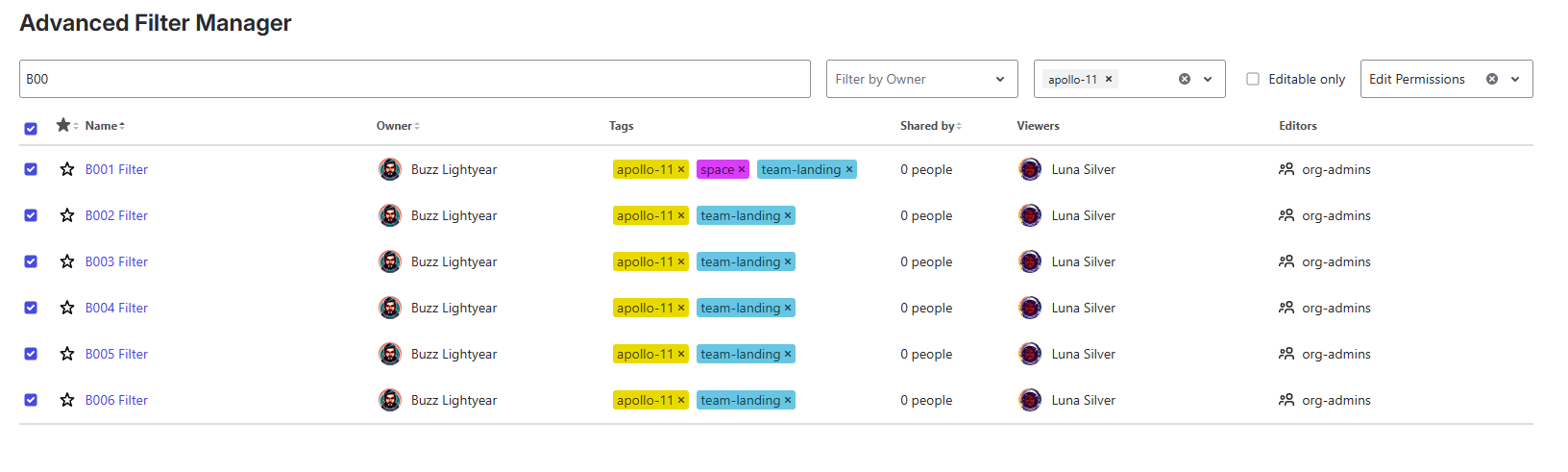
Key Features & Usage
1. Bulk Operations
Select multiple filters at once to perform mass updates, saving you clicks and time. Through the bulk actions menu, you can bulk-update tags, bulk-share and bulk-change owners across dozens of filters simultaneously.
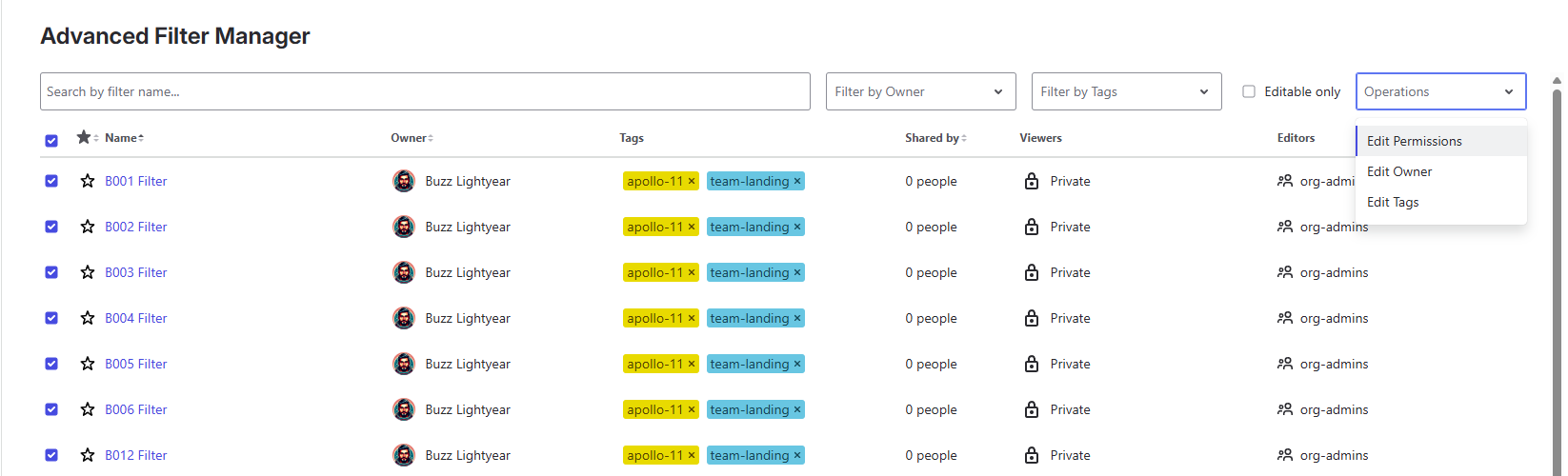
2. Filter Tagging
Stop relying on awkward naming conventions to group your filters. Add custom tags directly to any filters you have permission to edit to create intuitive categories (e.g., "q3-okrs", "frontend-bugs").
- Add, remove, or create new tags inline on individual filters, or efficiently through bulk operations.
- Easily filter your filters by one or multiple tags.

3. Sharing & Permissions Management
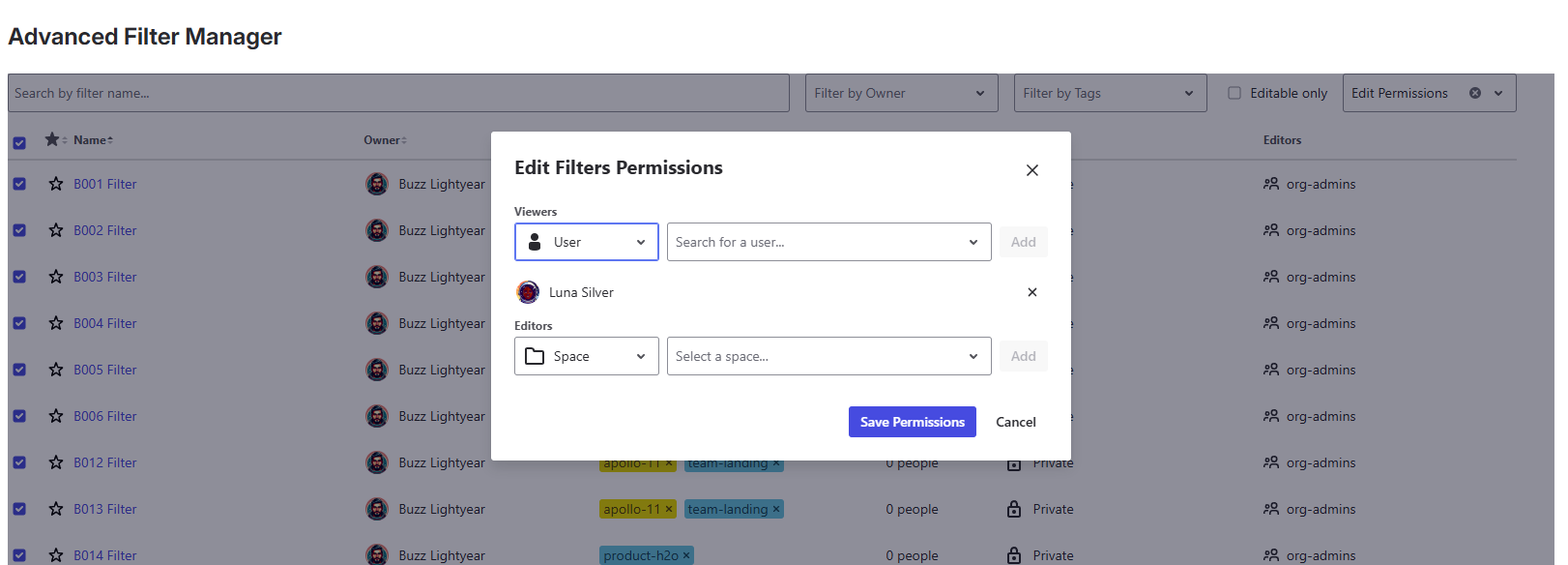
Quickly view who has access to which filters. Make filters private, or share them broadly with specific Users, Groups, or Space Roles.
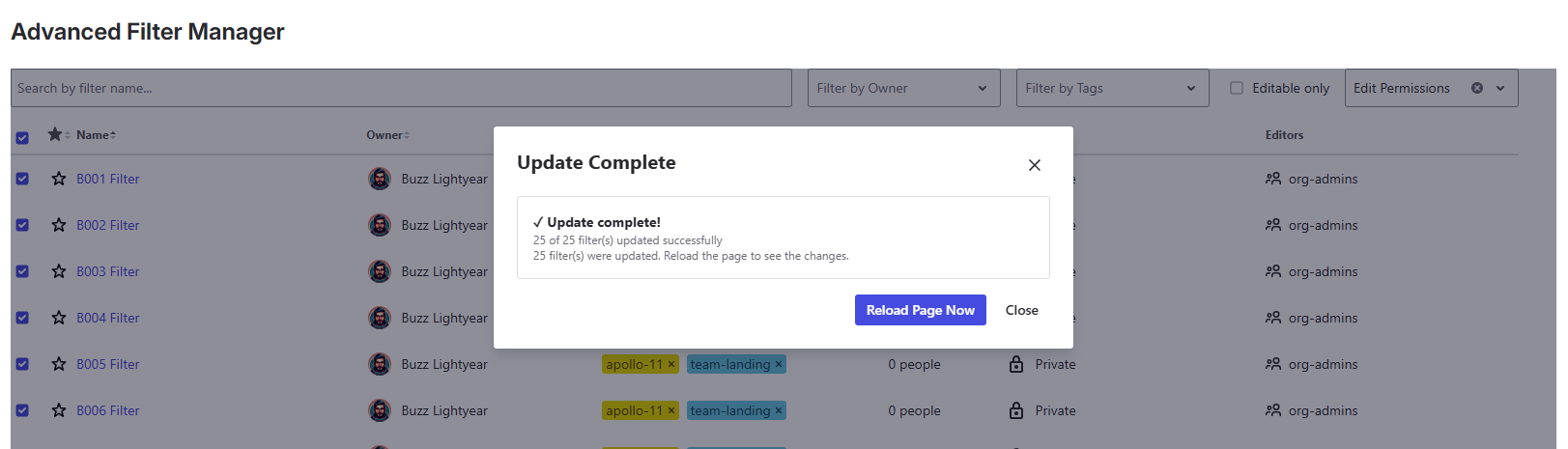
Note: This action is executed via bulk operations and strictly respects Jira user permissions (you can only update sharing settings on filters you have permission to edit).
4. Change Ownership
When colleagues move teams or leave the company, their important filters often get stuck or orphaned. Advanced Filter Manager allows you to easily transfer ownership of filters to another team member to ensure continuous maintenance.
Note: This action is executed via bulk operations and strictly respects Jira user permissions.
5. Manage Favorites & Advanced Searching
Beyond bulk changes, the main app provides essential capabilities for everyday filter management:
- Favorites: Individually manage whether a filter is marked as a 'favorite' right from the main list view.
- Advanced Filters: Find exactly what you need by filtering the filter list based on filter name, owner, or tags.
Required Scopes & Data Usage
Because the app modifies structural Jira components, Atlassian Forge requires you to grant specific permissions (scopes) upon installation. We strictly follow the principle of least privilege.
| Scope | Why It Is Required |
|---|---|
read:jira-work |
Allows us to fetch your filters, read their current ownership, and determine their sharing permissions so we can display them in the dashboard. |
write:jira-work |
Allows the app to apply the changes you request: updating sharing permissions, transferring filter ownership, and marking favorites. |
read:jira-user |
Required to populate dropdowns with User, Group, and Project Role names when you are attempting to share a filter or change an owner. |
manage:jira-configuration |
Required to passively listen to Jira system events, specifically when a filter is permanently deleted. This allows the app to automatically run a background clean-up job to delete any associated tags, keeping storage optimized. |
storage:app |
Required to store your custom Tags securely. Data is stored natively on Atlassian's secure Forge infrastructure. |
Technical Limitations
To guarantee maximum performance and stability within Atlassian's strictly partitioned Forge ecosystem, we enforce sensible bounds on certain features:
- Filtering by Permission: The app only displays filters that you have permission to view or edit. If a colleague created a totally private filter, it will not appear for you, even if you are a Jira Admin (this is an underlying Jira REST API constraint).
- Tag Limits: A maximum of 15 tags can be assigned per filter, and each tag is limited to 50 characters (alphanumeric, hyphens, and underscores only). This prevents UI clutter and ensures the tag-search engine remains lightning fast. If a bulk operation attempts to add tags beyond the 15-tag limit, extra tags are automatically truncated and a warning is displayed in the results summary.
- Tag Search Limits: When searching by tags, a strict safety cap is placed at a maximum of 500 filter results. This is a hard limit (not paginated) designed to ensure the app complies with Atlassian Forge's strict 25-second backend execution timeouts and to prevent browser memory exhaustion. If you have more than 500 filters with the same tag, only the first 500 accessible ones will be returned.
- Search Results Cap: When searching filters by name or owner, the app displays a maximum of 1,000 results. If more matches exist, a warning banner will appear advising you to refine your search. This cap keeps the interface responsive and avoids loading excessively large result sets. The main (non-search) filter list is unaffected and can be browsed in full.
- Tag Limit: There is a soft limit of 2,000 unique tags per Jira instance. If you approach this limit, you may need to reduce the number of unique tags to ensure continued performance and reliability.
Installation
Alternatively, you can install it directly from your Jira instance:
- Log into your Jira instance over the web.
- Navigate to Apps > Find new apps.
- Search for "Advanced Filter Manager".
- Click Try it free. Accept the required scopes.
- Once installed, use the top navigation: Apps > Advanced Filter Manager.
Licensing
Advanced Filter Manager is a commercial app available on the Atlassian Marketplace. It provides a full-featured free trial period, after which an active license is required for continuous use. You can easily manage your subscription directly from your Jira administration settings.
Need Help?
Encountering issues, have a question, or want to request a feature? Reach out to our support team and we'll be happy to assist you.
Contact Support →